UK DIGITAL VISA SYSTEM 2026
The Complete Guide: How the New eVisa Works, What Changed, and How Migrants Can Transition Without Agents.
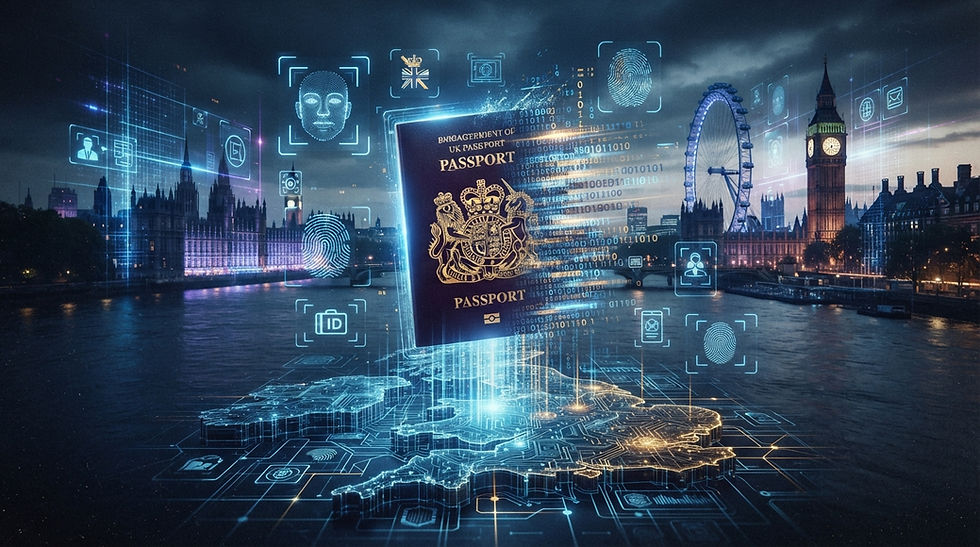
From the Editors
The UK’s transition to a fully digital immigration system marks one of the most significant policy shifts of the decade. For millions of migrants, the move from physical BRP cards to digital eVisas is more than a technical update — it’s a complete redesign of how immigration status is stored, verified, and accessed.
At immigrants.live, we believe migrants deserve clear, practical, agent‑free guidance. No middlemen. No “helpers.” No unnecessary fees. This article is designed to give every reader the ability to complete the transition to the UK’s digital visa system independently, safely, and confidently.
Summary
The UK has officially retired the Biometric Residence Permit (BRP) and moved all immigration statuses to digital eVisas. Migrants must create a UKVI account, link their passport, verify their identity, and check their digital status online. Employers, universities, and landlords now verify immigration status through temporary online links instead of physical cards.
What Is the UK eVisa?
The UK eVisa is a digital record held by the Home Office that replaces:
Biometric Residence Permit (BRP)
Biometric Residence Card (BRC)
Visa stickers in passports
Paper decision letters
Your immigration status now lives entirely online in your UKVI account.
Who Must Transition to the Digital Visa System?
Everyone. Specifically:
Anyone holding a BRP
Anyone who received a visa before 2026
Anyone who changed passports
Anyone who extended or switched visas
Anyone entering the UK under any visa category
Failure to update your digital status may cause issues at the border, with employers, landlords, or universities.
How Digital Status Verification Works
Instead of showing a BRP, migrants now generate a temporary online link that employers, universities, or landlords use to verify:
visa type
validity dates
right to work
right to study
right to rent
restrictions (e.g., no recourse to public funds)
Common Issues Migrants Report
Incorrect visa dates
Digital status not visible at the border
Lost access to UKVI account
Errors in name or date of birth
Passport not linked correctly
These issues can be fixed — and the guide below explains how.
Step‑by‑Step Guide: How to Transition to the UK eVisa Without Agents
This guide is designed so every migrant can complete the transition independently — no agents, no “helpers,” no paid intermediaries.
🥇 Step 1 — Prepare What You Need
Valid passport
Old BRP (if you have one)
Email with long‑term access
Phone for SMS verification
Camera (phone or laptop)
🥈 Step 2 — Create Your UKVI Account
Go to the official gov.uk → Visas and Immigration.
Select “Sign in or create an account.”
Click “Create account.”
Enter your email and password.
Confirm your email.
🥉 Step 3 — Link Your Passport
Log in to your UKVI account.
Open “Update your passport details.”
Enter passport number, dates, and country.
Ensure your name matches your visa exactly.
Save.
🏅 Step 4 — Complete Identity Verification
Follow the identity check instructions.
Take a clear photo of your face.
Scan your passport if required.
Wait for confirmation.
🎯 Step 5 — Check Your Digital Status
Verify that your eVisa shows:
correct visa type
correct start and end dates
right to work / right to study
any restrictions
Take a screenshot for your records.
🔗 Step 6 — Generate Your Status‑Sharing Link
Click “Share your status” or “Prove your status.”
Choose employer, university, or landlord.
Copy the temporary link.
Send the link — never your login details.
🛠 Step 7 — If Something Goes Wrong
Use “Report a problem with your digital status.”
Re‑link your passport.
Generate a new verification link.
Recover your account if you lose access (may take weeks).
Why the UK Is Moving to Digital Visas
Faster border processing
Reduced fraud
Lower administrative costs
Integration with future Entry/Exit systems
Full migration digitalisation by 2030
Impact on Employers
Right to Work checks are now fully online
No need to photocopy BRP cards
Faster onboarding
Right to Work checks
Impact on Renters
Landlords verify Right to Rent through digital links
BRP is no longer accepted
How to rent in the UK
Impact on Students
Universities verify Right to Study online
Enrollment becomes faster
Visa Categories Already Fully Digital
Skilled Worker
Health & Care
Student
Graduate
Family
Global Talent
Seasonal Worker
Innovator / Start‑up
Protection routes
Skilled Worker Guide Health & Care Visa
FAQ
Do I still need my BRP? No — BRP is no longer used.
Can I enter the UK without eVisa? Yes, if your passport is linked.
What if I changed my passport? You must update your UKVI account.
Can I lose access to my digital visa? Yes — losing your email or phone can lock you out.
Final Editorial Conclusion
The UK’s digital visa system is not just a technological upgrade — it’s a structural transformation of the country’s immigration framework. Migrants must now manage their status online, ensure their passport is linked, and understand how digital verification works.
The transition is mandatory, but it doesn’t have to be complicated. With the step‑by‑step guide above, every migrant can complete the process independently and avoid unnecessary fees or intermediaries.
This article is ready for publication on immigrants.live and can serve as the cornerstone of your UK migration cluster.


Komentarze